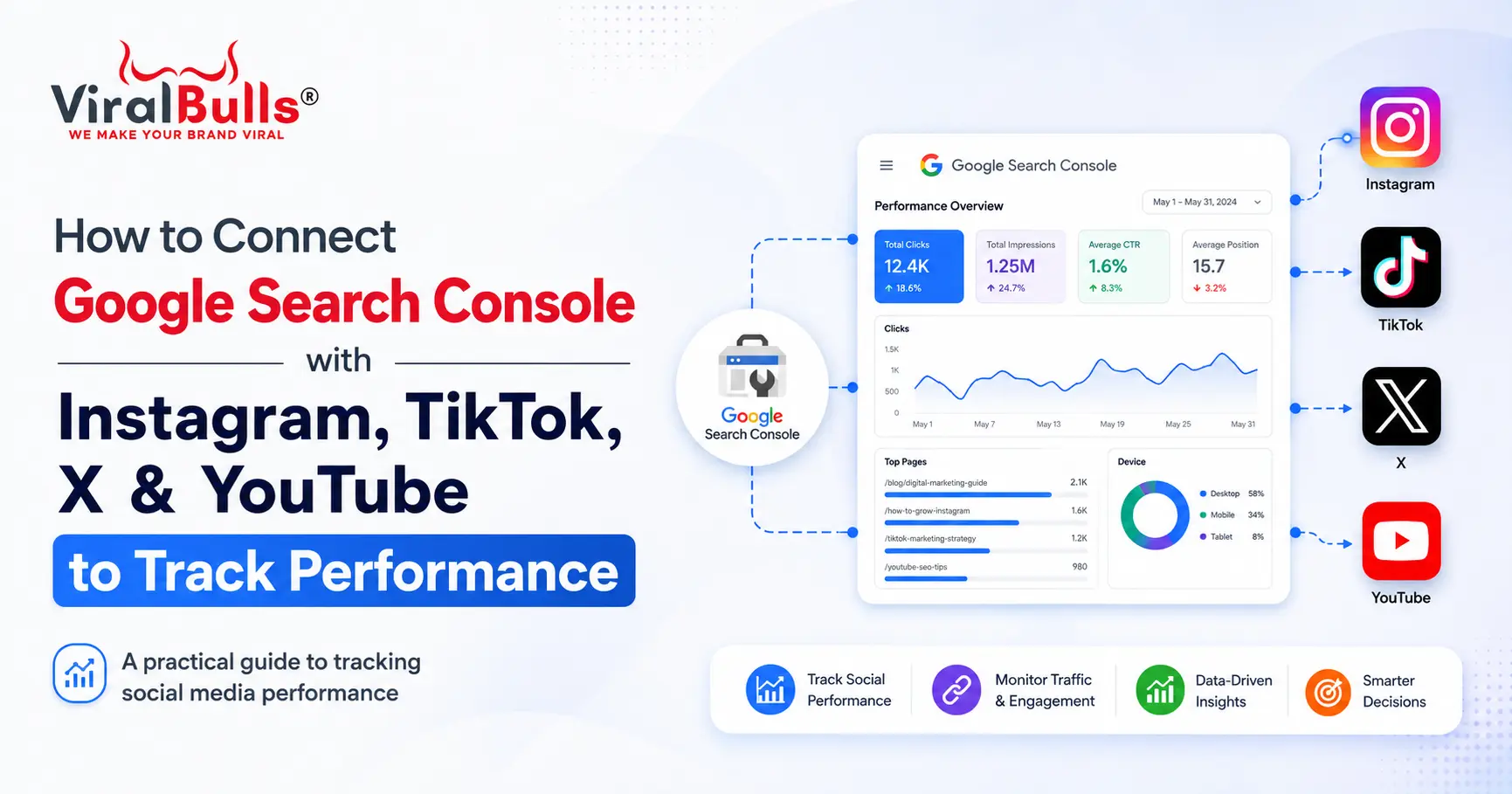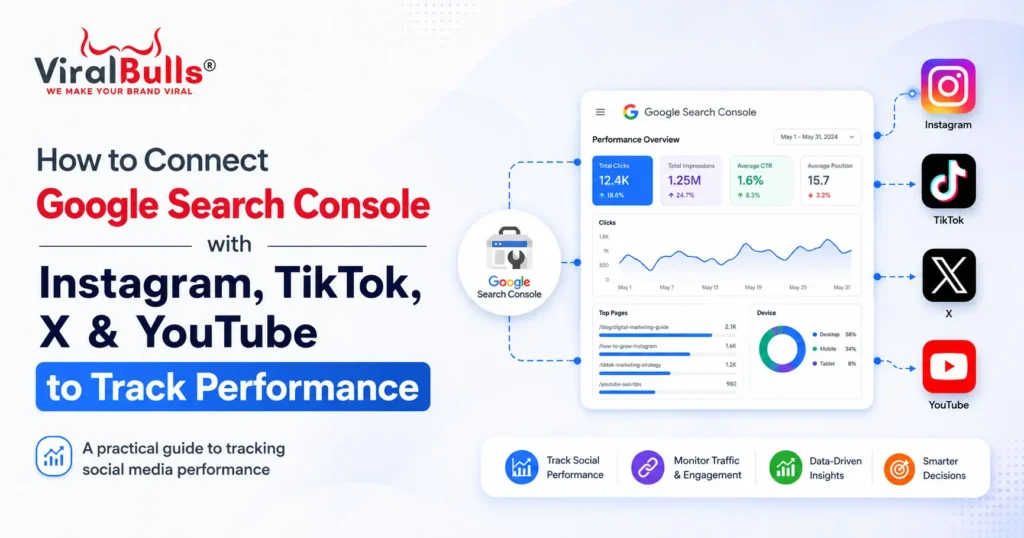
You can now add Instagram, TikTok, X, and YouTube directly to Google Search Console as platform properties. Open Search Console, click Add property, select a supported platform, and complete the ownership verification prompts. After verification, Google can show how that account’s posts and videos perform across Search, Discover, and Google News when eligible. You can review clicks, impressions, queries, CTR, position, and top content. This lets businesses Connect Social Media with Search Console without first linking every profile to a website. The feature began rolling out in July 2026 and may not yet appear in every account.
What Is a Platform Property?
A platform property is a Search Console property for a social profile or video channel. It measures how content on that account is discovered through Google.
Instagram, TikTok, X, and YouTube are supported. Each account must be added separately, and a website is not required. Native analytics are still needed for likes, followers, reach, and watch time.
Platform properties are particularly helpful for creators, influencers, publishers, social media managers, and businesses that publish valuable content without always directing users to a website.
Add a Social Account in Three Steps
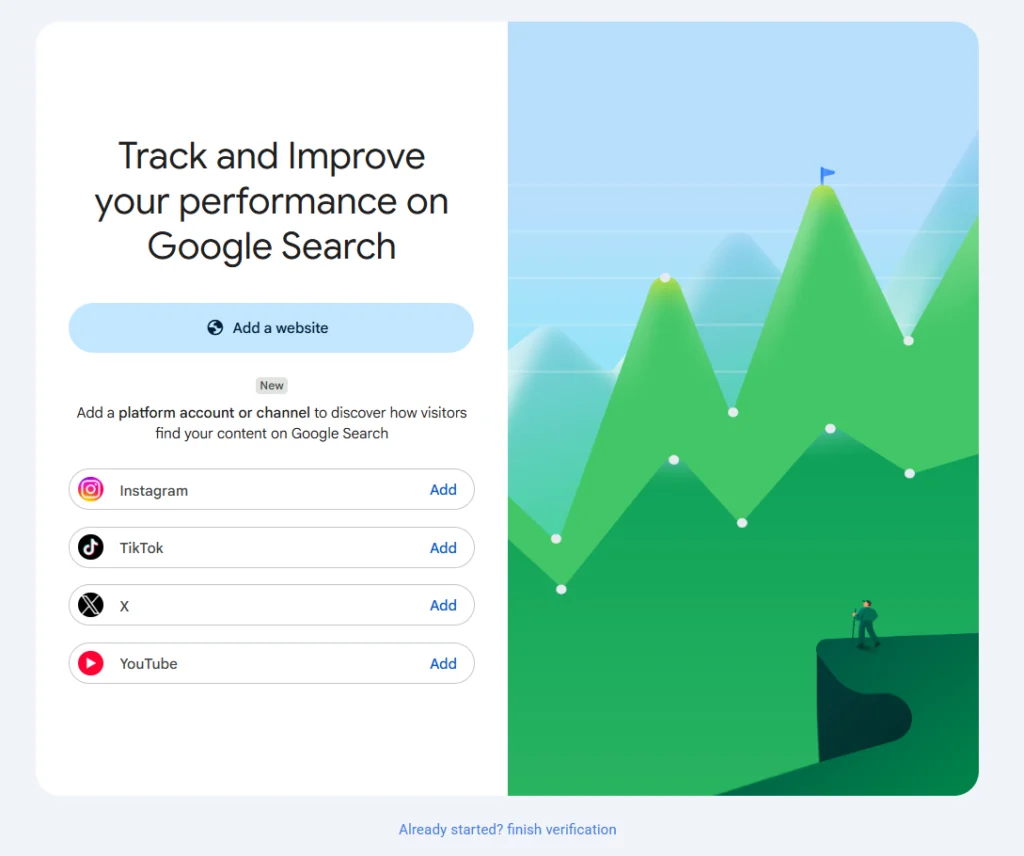
Step 1: Open Google Search Console
Sign in to Google Search Console with the Google account you want to use. Open the property selector and click Add property.
Your existing website properties will remain unchanged. The social account will be added as a separate platform property.
Step 2: Choose the Platform
Select Instagram, TikTok, X, or YouTube from the available options. Click Add beside the platform and choose the correct profile or channel.
Check the account carefully when managing multiple brand, creator, or client profiles.
Step 3: Verify Ownership
Follow the prompts to sign in to the social account and authorise the connection. After Google verifies ownership, click Go to property.
Initial reporting may take a few days. Repeat the process for every account because each profile requires a separate property.
How to Connect Google Search Console with Instagram
To add Instagram, create a platform property, choose Instagram, sign in to the correct profile, and approve verification. The account will then appear in your Search Console property list.
The reports reveal which Reels, posts, profile pages, and eligible Stories appear on Google. A Story appearance may count as an impression, while a user click may count as a click. This identifies topics attracting discovery outside Instagram.
Businesses can use this information to understand which products, questions, captions, trends, and visual formats have the strongest Google Search potential.
How to Connect Google Search Console with TikTok
To connect Google Search Console with TikTok, select TikTok while creating a platform property and complete account authorisation. Once reporting begins, review the videos and search queries generating Google impressions and clicks.
Search Console does not replace TikTok Analytics. TikTok measures in-app activity, while Search Console measures discovery through Google. Together, they show which videos keep attracting users beyond the TikTok feed.
Pay particular attention to tutorials, product demonstrations, comparisons, explainers, reviews, and videos answering frequently searched questions.
How to Connect Google Search Console with YouTube
To connect Google Search Console with YouTube, add the relevant YouTube channel as a platform property and verify ownership. Search Console can then report how videos and channel content perform on eligible Google surfaces.
A video appearance in Search or Discover may count as an impression. When a user clicks the result, Search Console can record a click, including when the video opens inside a Google viewer. Use these findings to improve topics, titles, descriptions, and thumbnails.
The query report can also help identify new video ideas based on the language people already use on Google.
How to Connect Google Search Console with X
To connect Google Search Console with X, select X from the platform property list, sign in to the relevant account, and approve verification. Search Console can then show which posts and profile content gain visibility through Google.
This is useful for expert threads, news commentary, product announcements, and thought leadership. Query data can reveal how people discover your X content.
Businesses can use these findings to create more posts around topics that generate long-term search interest instead of focusing only on short-lived engagement.
What Can You Track?
When you Connect Social Media with Search Console, three reports are especially useful.
Performance Report
The Performance report shows clicks, impressions, average CTR, and average position. Filters compare posts, queries, dates, countries, devices, and search appearances. Discover and Google News reports appear only with eligible traffic.
Impressions show how often your content appeared.
Clicks show how often users opened it.
CTR shows the percentage of impressions that generated clicks.
Average position indicates where your content generally appeared in Google results.
Insights Report
The Insights report summarises recent trends, top-performing content, and how users discover the account through Google.
It is useful for getting a quick overview without applying multiple filters or building a separate reporting dashboard.
Achievements
Achievements highlight click-based milestones and make increases in Google-driven discovery easier to recognise.
How to Improve Performance with the Data
Find content receiving high impressions but a low CTR. Its title, description, thumbnail, or opening may need improvement.
Identify posts with strong CTR or rising clicks, then create related content that answers follow-up questions.
Review the queries leading users to each account. Turn repeated questions into Reels, TikToks, Shorts, YouTube videos, or X threads. Strong cross-platform topics may deserve a complete campaign or supporting website page.
Compare performance over consistent periods, such as the last 28 days against the previous 28 days. Avoid judging success using clicks alone. A post with growing impressions may be gaining search visibility even before clicks increase.
Important Limitations
Platform properties measure discovery through Google, not all social activity. They do not provide complete Instagram reach, TikTok views, YouTube watch time, or X engagement.
The feature is rolling out gradually. Missing options may not have reached your account yet. Google also checks ownership periodically, and expired authorisation can pause access.
Conclusion
The ability to Connect Social Media with Search Console gives creators and businesses a direct view of how social content performs on Google. Add each account separately, verify ownership, wait for data collection, and use the Performance and Insights reports to identify the posts and queries driving discovery.
The process is the same whether you want to connect Google Search Console with Instagram, connect Google Search Console with TikTok, connect Google Search Console with YouTube, or connect Google Search Console with X: add the property, choose the platform, verify the account, and analyse its Google performance.
Frequently Asked Questions
Can social accounts be added directly to Search Console?
Yes. Supported social accounts can be added as individual platform properties without routing them through a website.
Is a website required?
No. A creator can add a supported social profile without owning or connecting a website.
How long does data take to appear?
The setup is quick, but reports may take a few days to populate after verification.
Can multiple profiles be added?
Yes. Add and verify every profile separately so each account has its own reporting property.
Does Search Console show likes or followers?
No. It reports Google-generated visibility and traffic. Use native analytics for in-app engagement, followers, comments, views, and watch time.
Which metrics matter most?
Begin with impressions, clicks, CTR, average position, top posts, and search queries. These show what Google surfaces and what users choose to open.
Will all accounts have this feature immediately?
Not necessarily. Google is introducing platform properties gradually, so the supported platform options may appear at different times for different users.
Also Read: Will AI Replace Digital Marketers? Myths vs Facts