Many business owners set up their Google Business Profile, add a few photos, and expect calls and visits to follow. But after weeks of waiting, they notice something frustrating: their business is nowhere to be seen in the local map pack, while competitors with fewer reviews keep showing up first. If your Google Business Profile not ranking, the good news is that this is rarely random. In most cases, there is a clear reason behind it, and it can be fixed with the right steps.
This guide breaks down why a Google Business Profile stops ranking, how to diagnose the real issue, and the exact steps you can follow to fix it.
Why Is My Google Business Profile Not Ranking?
Before fixing anything, it helps to understand what Google actually looks at. Google ranks local businesses based on three main factors: relevance, distance, and prominence.
- Relevance means how well your profile matches what someone is searching for.
- Distance means how close your business is to the person searching.
- Prominence means how well-known and trusted your business is, based on reviews, links, and overall online presence.
When a Google Business Profile not ranking, it usually means one or more of these three factors is weak. Maybe your categories are wrong, your listing is incomplete, your reviews are low, or your competitors are simply more active online. Once you identify which factor is missing, fixing your ranking becomes much easier.
Common Reasons a Google Business Profile Doesn’t Rank
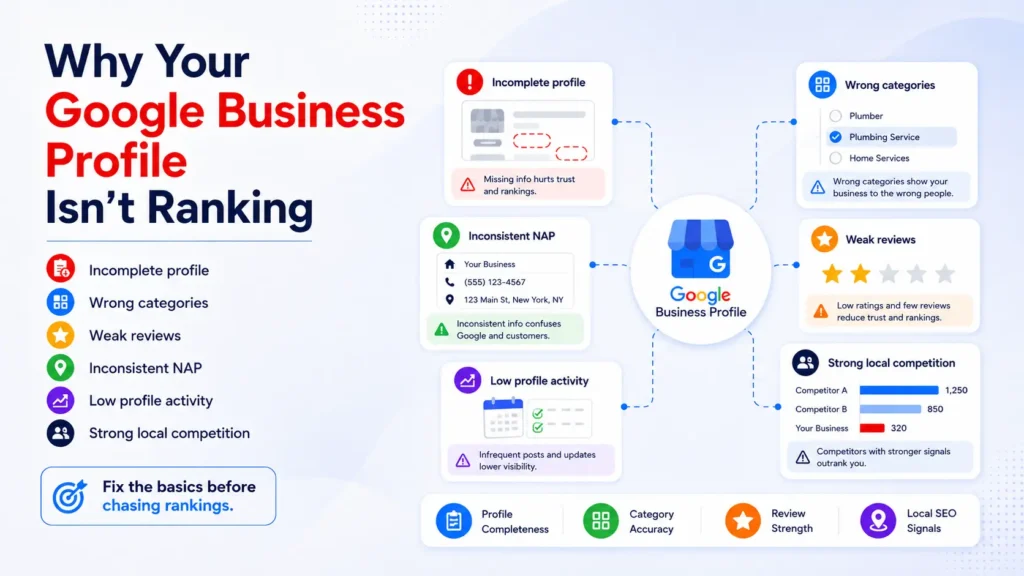
1. Incomplete or Outdated Business Information
A profile with missing hours, no website link, or an old phone number sends a weak signal to Google. Incomplete listings are one of the most common reasons a business does not appear in local search results.
2. Wrong or Too Few Businesses Categories
Many businesses only select one broad category when several relevant ones are available. If your primary category does not match what customers actually search for, Google may not show your profile for those searches.
3. Weak Review Profile
Low review count, low ratings, or no recent reviews hurt your local ranking. Google treats reviews as a strong prominence signal, so a profile with old or few reviews often struggles to compete.
4. No Consistent NAP (Name, Address, Phone)
If your business name, address, and phone number are listed differently across your website, directories, and social media, Google can lose confidence in your data. This inconsistency is one of the quieter causes of poor rankings.
5. Low Engagement and No Posts or Updates
Profiles that never post updates, offers, or photos appear less active. Google tends to favour profiles that show ongoing engagement over those set up once and forgotten.
6. Suspicious or Filtered Reviews
Sometimes reviews get filtered by Google due to spam detection or unusual patterns, which can quietly reduce your review count and hurt prominence.
7. Strong Local Competition
Sometimes your profile is fine, but competitors are simply doing more — more reviews, more photos, more consistent posting, and stronger local backlinks. In competitive categories, average optimisation is not enough.
How to Fix a Google Business Profile That’s Not Ranking: Step-by-Step
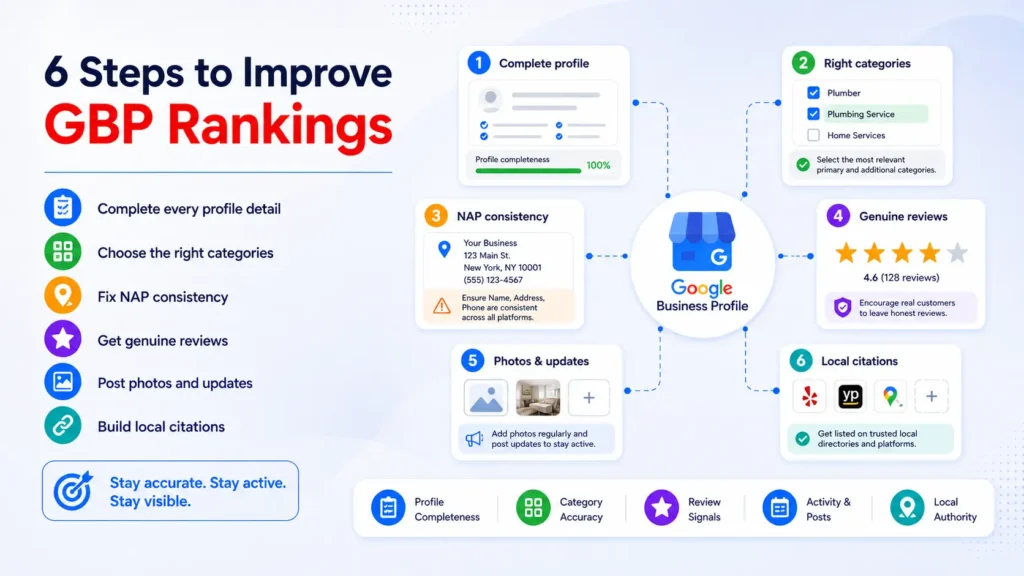
Step 1: Verify Your Profile Is Fully Optimised
Start with the basics. Open your Google Business Profile and check every section carefully.
Make sure you have:
- Correct business name (no keyword stuffing)
- Accurate address and service area
- Correct phone number and website
- Complete business hours, including holiday hours
- A clear, keyword-relevant business description
An incomplete profile is one of the easiest reasons your Google Business Profile not ranking, and it is also the easiest to fix.
Step 2: Choose the Right Categories
Your primary category should reflect exactly what your business does. Choose one primary category, then add relevant secondary categories that match your services.
For example, a dentist offering cosmetic treatments should not only select “Dentist” as a category. Adding “Cosmetic dentist” or “Teeth whitening service” as secondary categories can help Google match your profile with more specific searches.
Step 3: Fix NAP Consistency Across the Web
Check that your business name, address, and phone number match exactly across your website, social media profiles, and local directories. Even small differences, like “St.” instead of “Street,” can create confusion for Google.
Use a simple checklist:
- Website footer and contact page
- Facebook and Instagram business info
- Local directories and citation sites
- Any older or duplicate listings
Fixing inconsistent information helps Google trust your business details, which supports better rankings over time.
Step 4: Improve Your Review Strategy
Reviews are one of the strongest ranking signals available to you.
To improve your review profile:
- Ask happy customers for reviews at the right moment, such as right after a purchase or service
- Make the review process simple with a direct link
- Respond to every review, positive or negative, in a professional tone
- Avoid fake reviews, incentivised reviews, or review gating, since these violate Google’s policies
A steady stream of genuine reviews signals to Google that your business is active and trusted by real customers.
Step 5: Add Photos and Post Regularly
Profiles with recent photos and regular updates tend to perform better in local search. Add high-quality photos of your storefront, team, products, or completed work, and update them regularly.
Use the Posts feature to share:
- Offers and promotions
- New products or services
- Events or announcements
- Customer testimonials
This keeps your profile active and gives Google fresh signals that your business is currently operating and engaging with customers.
Step 6: Build Local Citations and Backlinks
Getting listed on relevant local directories and earning local citations and backlinks strengthens your prominence signal. Focus on quality over quantity, and prioritise directories that are relevant to your industry or city.
Step 7: Monitor Insights and Track Performance
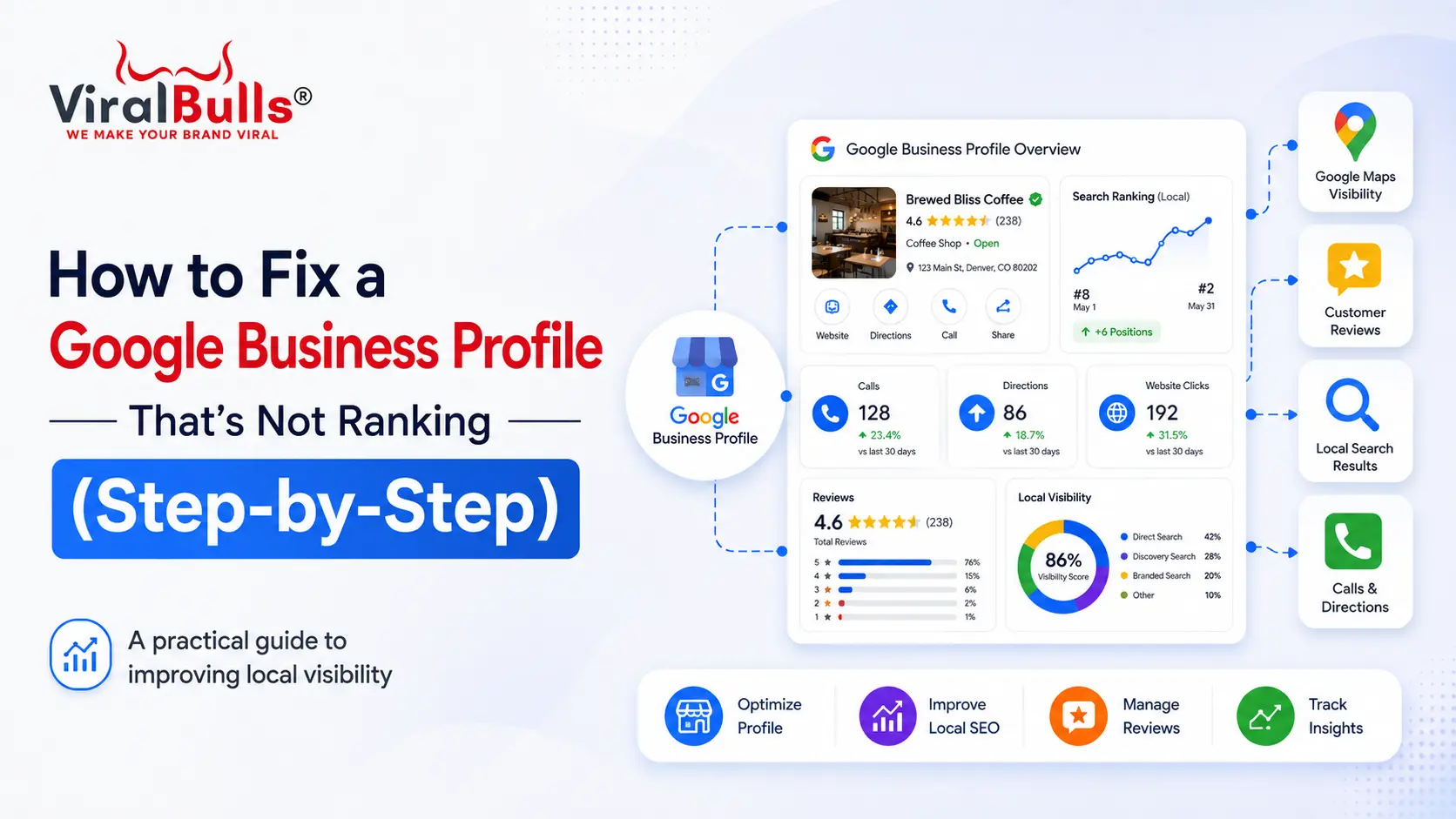
Use the Performance section inside your Google Business Profile to track how customers find you, what actions they take, and which searches trigger your listing. If you notice a sudden drop, this data helps you identify when the issue started and what might have caused it.
Step 8: Audit for Duplicate or Suspended Listings
Sometimes a Google Business Profile not ranking because a duplicate listing exists, splitting your reviews and search visibility across two profiles. Search your business name to check for duplicates, and request removal of any old or incorrect listings.
There is no fixed timeline for results. Some businesses notice improvement within a few weeks of fixing categories and NAP consistency, while others take a few months in competitive markets. Consistency matters more than speed.
Common Mistakes to Avoid While Fixing Rankings
- Stuffing keywords into your business name
- Creating a second profile instead of fixing the existing one
- Ignoring negative reviews instead of responding professionally
- Making too many changes at once, which makes it hard to track what worked
- Buying reviews or using fake engagement, which can lead to suspension
Final Thoughts
A Google Business Profile not ranking is a common problem, but it is almost always fixable once you identify the missing piece. In most cases, it comes down to incomplete information, weak categories, inconsistent NAP data, or a thin review profile. Work through your profile step by step, fix the basics first, and then build reviews, photos, posts, and citations consistently.
Local search rewards businesses that stay active and accurate, not ones that set up their profile once and wait. Treat your listing as an ongoing part of your marketing, and rankings usually follow.
FAQs
1. Why is my Google Business Profile not ranking on Google Maps?
Your profile may not be ranking because of incomplete information, wrong categories, low reviews, inconsistent NAP data, or strong local competition. Reviewing each of these areas usually identifies the cause.
2. How can I check why my Google Business Profile ranking dropped?
Check the Performance section inside your Google Business Profile for sudden drops in views or searches, and review recent changes to your profile, category, or NAP information around the same time.
3. Do reviews really affect Google Business Profile ranking?
Yes. Reviews are one of the strongest prominence signals Google uses. A steady flow of genuine, recent reviews can meaningfully improve your local ranking.
4. How many Google reviews do I need to rank higher?
There is no fixed number. What matters more is consistency, review quality, response rate, and recency compared to competitors in your local area.
5. Can wrong categories stop my Google Business Profile from ranking?
Yes. If your primary or secondary categories do not match what customers are searching for, Google may not show your profile for relevant local searches.
6. Should I create a new Google Business Profile if my old one is not ranking?
No. Creating a new profile can cause duplicate listings and split your existing reviews and history. It is better to fix and optimise your existing profile.
7. How long does it take to fix a Google Business Profile ranking issue?
It varies. Some businesses see improvement within a few weeks after fixing categories and information, while more competitive markets can take a few months of consistent effort.
8. Does posting regularly on Google Business Profile help ranking?
Yes. Regular posts and updated photos signal to Google that your business is active, which can support better visibility in local search results.