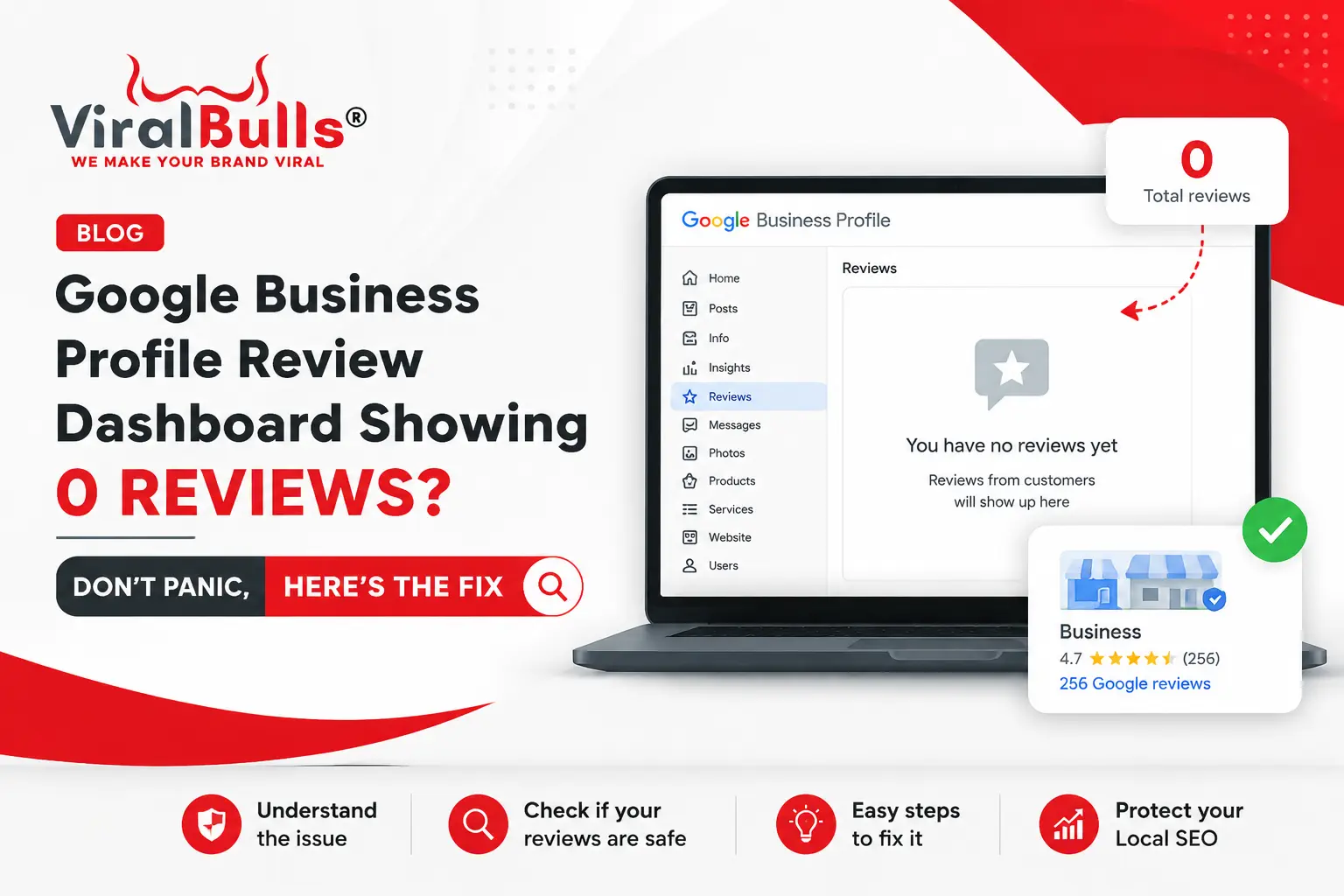
If your Google Business Profile review dashboard is showing 0 reviews, don’t panic. In most cases, your Google reviews are not deleted. This issue usually happens because of a temporary dashboard display or synchronization problem where reviews may still appear publicly on Google Search and Google Maps but are missing from the business dashboard.
For local businesses, Google reviews are a major factor in building customer trust, improving online reputation, and supporting local search visibility. So when business owners suddenly see an empty review dashboard, it creates confusion and concern.
A business that has spent months or years collecting genuine customer reviews may wonder:
- Did Google remove my reviews?
- Is my Google Business Profile affected?
- Will this impact my local SEO rankings?
- Should I create a new business profile?
The answer is usually no. Before taking any major action, it is important to understand why your Google Business Profile reviews are not showing, how to verify whether your reviews are actually missing, and what steps you should take.
This guide explains everything businesses need to know about the Google Business Profile review dashboard showing 0 reviews, including causes, solutions, SEO impact, prevention strategies, and frequently asked questions.
What Does It Mean When Google Business Profile Shows 0 Reviews?
When your Google Business Profile review dashboard shows zero reviews, it means the reviews section inside your business management interface is currently not displaying your review data.
However, this does not always mean your reviews are deleted.
Google Business Profile has two different systems:
Public Business Listing
This is what customers see when they search your business on Google Search or Google Maps.
Customers can view:
- Your star rating
- Total number of reviews
- Customer feedback
- Business information
- Photos
- Updates
Business Owner Dashboard
This is the backend section where business owners manage their profile.
It allows businesses to:
- Read reviews
- Respond to customers
- Update business details
- View performance data
- Manage profile settings
Sometimes these systems do not update at the same time. This can result in situations where customers can still see your reviews, but the business owner dashboard shows no reviews.
Why Are Google Business Profile Reviews Not Showing?
There are several possible reasons why your Google Business Profile reviews are not showing.
1. Temporary Google Business Profile Dashboard Issue
The most common reason is a technical issue within Google’s platform.
Google continuously updates its systems, and occasionally temporary bugs affect:
- Review dashboards
- Business insights
- Profile management features
- Data reporting
During these situations, your public Google listing may continue working normally while your dashboard displays incorrect information.
For example:
A business may have:
- 300+ Google reviews
- A 4.7-star rating
- Active customer feedback
But the owner dashboard may temporarily show:
“No reviews yet”
In such cases, the problem is generally related to the dashboard and not the actual reviews.
2. Google Review Synchronization Delay
Google Business Profile depends on multiple systems to display business information correctly.
Sometimes there can be delays between:
- Google Search
- Google Maps
- Business Profile Manager
- Review management tools
Because of this delay, businesses may experience situations where:
- Reviews are visible to customers
- Reviews are unavailable inside the owner dashboard
A synchronization issue usually resolves automatically once Google updates the affected systems.
3. Google Review Filtering and Policy Checks
Google uses automated systems to identify spam or policy-violating reviews.
Some reviews may be removed, hidden, or temporarily unavailable because Google checks for:
- Fake reviews
- Spam activity
- Duplicate content
- Suspicious accounts
- Unusual review patterns
For example, if multiple reviews are posted from similar accounts within a short time, Google may review them.
However, review filtering usually affects specific reviews rather than making an entire review dashboard empty.
4. Google Business Profile Account Problems
In some situations, account-related issues can affect your ability to view or manage reviews.
Possible reasons include:
- Ownership changes
- Verification problems
- Duplicate profiles
- Incorrect account access
- Profile restrictions
If your profile has account-level issues, reviews may become difficult to manage until the issue is resolved.
How To Check If Your Google Reviews Are Actually Missing
Before assuming your reviews have disappeared, follow these steps.
Step 1: Search Your Business Name on Google
Open Google Search and search:
Your Business Name + Location
Example:
“ABC Dental Clinic Delhi”
Check whether you can still see:
- Star rating
- Review count
- Customer reviews
If reviews appear publicly, your reviews are most likely safe.
Step 2: Check Google Maps Reviews
Open Google Maps and search for your business.
Verify:
- Total review count
- Latest customer reviews
- Overall rating
Google Maps is one of the best ways to confirm whether your reviews are publicly available.
Step 3: Check Using Incognito Mode
Sometimes display issues can be related to your Google account.
Try checking your listing through:
- Incognito browser
- Another Google account
- Another device
This helps determine whether the issue is account-specific.
Step 4: Do Not Create a New Business Profile
One of the biggest mistakes businesses make is creating a new Google Business Profile when reviews are not visible.
This can create:
- Duplicate listings
- Ranking problems
- Loss of historical data
- Customer confusion
Always investigate the issue before making major changes.
Does a Google Business Profile Review Issue Affect SEO Rankings?
A temporary Google Business Profile review dashboard issue generally does not affect local SEO rankings if your reviews are still visible publicly.
Google considers multiple factors for local ranking, including:
- Relevance
- Location
- Business information accuracy
- Website quality
- Customer reviews
- User engagement
Reviews help businesses establish credibility, but a dashboard display issue is different from losing actual reviews.
If customers can still see:
- Your rating
- Your review count
- Your customer feedback
your online reputation is usually unaffected.
However, businesses should continue monitoring their Google Business Profile because reviews influence customer decisions and brand trust.
What Should Businesses Do If Google Business Profile Reviews Are Missing?
Follow these steps if your GBP reviews are missing.
1. Verify Public Review Visibility
First check whether your reviews appear on:
- Google Search
- Google Maps
If they are visible publicly, avoid unnecessary changes and wait for the dashboard issue to resolve.
2. Capture Screenshots
Document the problem by saving:
- Screenshot of empty dashboard
- Screenshot of public review count
- Screenshot of your business profile
This information can help if you need Google support.
3. Continue Collecting Genuine Reviews
A temporary dashboard issue should not stop your review strategy.
Continue encouraging customers to share honest feedback.
Regular reviews help businesses improve:
- Customer trust
- Local search presence
- Brand credibility
4. Respond To Customer Reviews
When reviews become accessible again, maintain regular engagement.
Professional responses show customers that your business values feedback.
Good responses should:
- Thank customers
- Address concerns
- Maintain a professional tone
- Encourage future engagement
5. Contact Google Support If Reviews Are Missing Publicly
If your reviews disappear from Google Search and Google Maps, contact Google Business Profile support.
Provide:
- Business name
- Business profile URL
- Previous review count
- Screenshots
- Timeline of the issue
Detailed information helps Google investigate faster.
How Businesses Can Protect Their Local SEO Reputation
Google Business Profile reviews are important, but businesses should maintain a complete local SEO strategy.
Optimize Your Google Business Profile Regularly
Keep your profile updated with:
- Correct business information
- Services
- Photos
- Business hours
- Website details
- Categories
An optimized profile helps Google understand your business better.
Create a Consistent Review Management Process
Do not collect reviews only occasionally.
Build a system where you:
- Ask satisfied customers for feedback
- Respond professionally
- Monitor customer sentiment
- Learn from suggestions
A consistent review strategy creates long-term reputation growth.
Avoid Fake Reviews
Businesses should never purchase reviews or create artificial feedback.
Avoid:
- Fake accounts
- Employee reviews
- Incentivized positive reviews
- Duplicate review patterns
Google actively removes fake reviews, and these practices can damage your profile.
Common Mistakes Businesses Make When Reviews Are Missing
Creating a New Google Profile
This can damage your local SEO because you may lose:
- Profile history
- Existing authority
- Customer trust signals
Asking Customers To Submit Reviews Again
If reviews are only missing from your dashboard, requesting new reviews can create unnecessary duplicate activity.
Ignoring Profile Monitoring
Businesses should regularly check:
- Review growth
- Profile performance
- Customer interactions
Early detection helps solve issues faster.
Final Thoughts
A Google Business Profile review dashboard showing 0 reviews can be concerning, but it does not always mean your reviews are gone. In many cases, it is simply a temporary dashboard display or synchronization issue.
The best approach is to verify your public Google listing, avoid unnecessary profile changes, document the issue, and continue managing your online reputation.
Google reviews remain one of the strongest trust signals for local businesses. Companies that consistently optimize their Google Business Profile, collect genuine customer feedback, and monitor their reputation are better positioned to attract customers and maintain strong local visibility.
Frequently Asked Questions (FAQs)
Why is my Google Business Profile review dashboard showing 0 reviews?
Your Google Business Profile review dashboard may show 0 reviews because of a temporary display issue, synchronization delay, or technical problem. Check your public Google listing to confirm whether your reviews are still visible.
Are my Google reviews deleted if they are not showing in my dashboard?
No. If customers can still see your reviews on Google Search or Google Maps, your reviews have likely not been deleted. The issue may only affect the business dashboard.
Why are my Google Business Profile reviews not showing?
Google Business Profile reviews may not show because of:
- Dashboard bugs
- Data synchronization delays
- Review filtering
- Account access issues
- Profile restrictions
How can I check if my Google reviews disappeared?
Search your business on Google and Google Maps. Check your star rating, review count, and customer feedback. If these are visible, your reviews are still active.
Can missing Google reviews affect my local SEO?
If reviews are missing only from the dashboard, there is usually no direct SEO impact. However, losing public reviews can affect customer trust and potentially influence local search performance.
Should I create a new Google Business Profile if my reviews disappear?
No. Creating a new profile can create duplicate listings and harm your local SEO. Always troubleshoot your existing profile first.
How long does it take Google to fix review dashboard problems?
There is no fixed timeline. Temporary Google Business Profile issues are usually resolved after Google updates its systems.
How can I get more Google reviews for my business?
Businesses can get more reviews by:
- Providing excellent service
- Asking satisfied customers at the right time
- Making the review process simple
- Responding to existing feedback
Never buy fake reviews.
Does responding to Google reviews improve SEO?
Responding to reviews helps improve customer engagement and trust. While it is only one part of local SEO, active reputation management supports a stronger online presence.
Also Read: How to Connect Google Search Console with Instagram, TikTok, X & YouTube to Track Performance